
Every lock check, on the record.
Your team walks the property. The app captures who checked what, when, with photos. The clipboard stops being your only proof.
Get early access
Something went wrong sending your application. Please try again, or email hello@lockcheckcloud.com.
California operators only at launch. A short demo call is required. Founding spots are capped at 3 facilities per operator. No spam, unsubscribe anytime.
You’re on the list!
Thanks for applying to the Founding Member Program. We’ll email you as soon as Lock Check Cloud is ready to launch to book your 20-minute demo and set up your 14-day free trial.
Paper logs work fine until someone asks you to prove it.
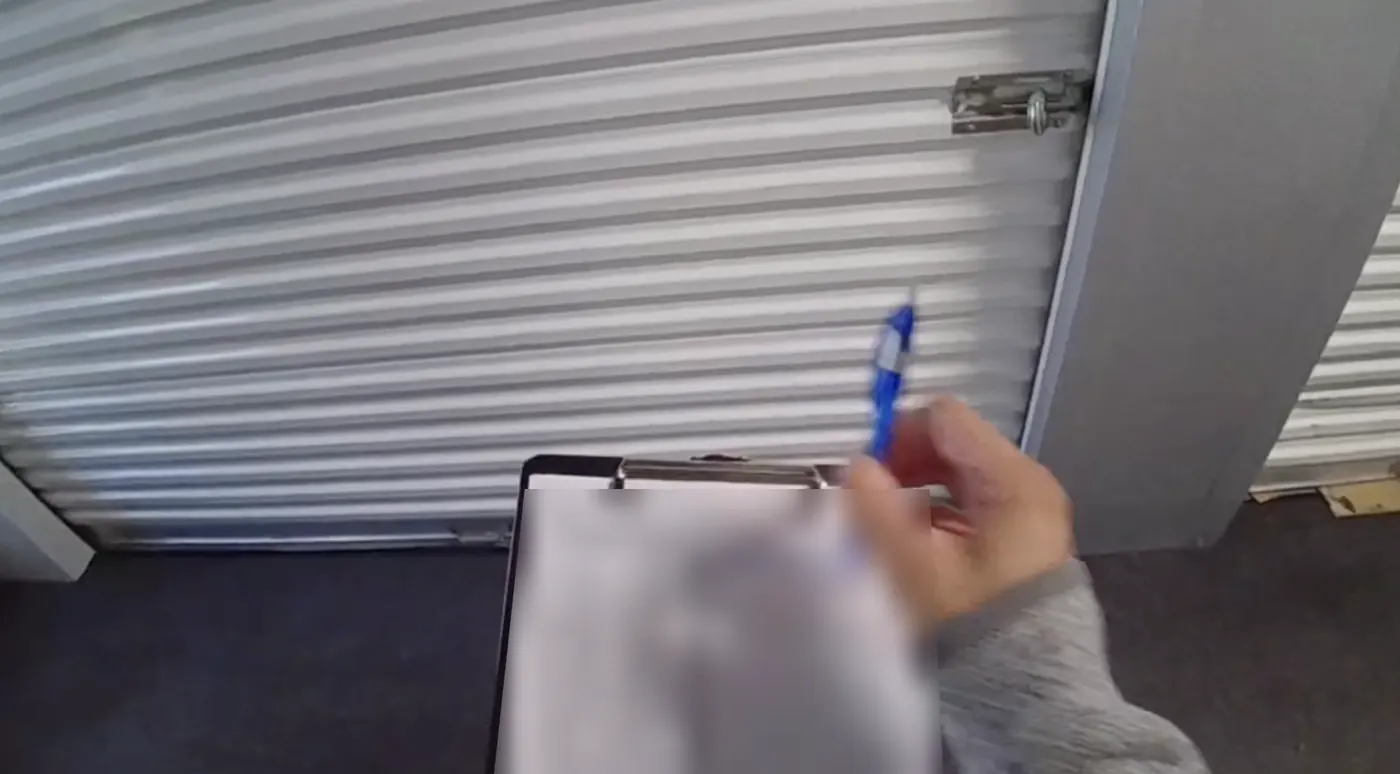
No audit trail
Paper logs get lost, soaked, or scribbled. When a lien dispute lands, you have nothing that proves the check happened.
No real-time visibility
You hear about a cut lock hours or days later. By then the tenant has already called, and the story isn't yours.
Staff inconsistency
Every person has their own method. No standard, no accountability, no way to confirm a row was walked at all.
Compliance exposure
Auditors and insurers ask for documentation. A clipboard in a desk drawer is not documentation.
Clipboard and spreadsheet vs. Lock Check Cloud
Admin assigns it. Staff scans in. You see everything.
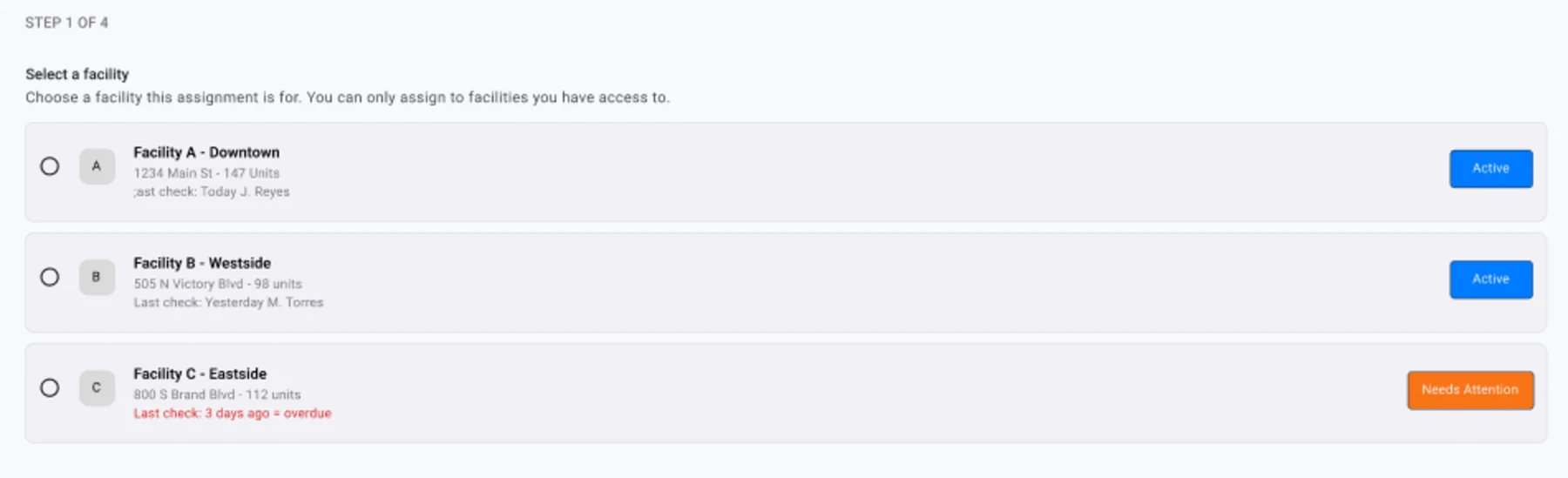
Admin assigns the check
Create a lock check or walk-through from the desktop. Pick the facility, the date, and the staff member.
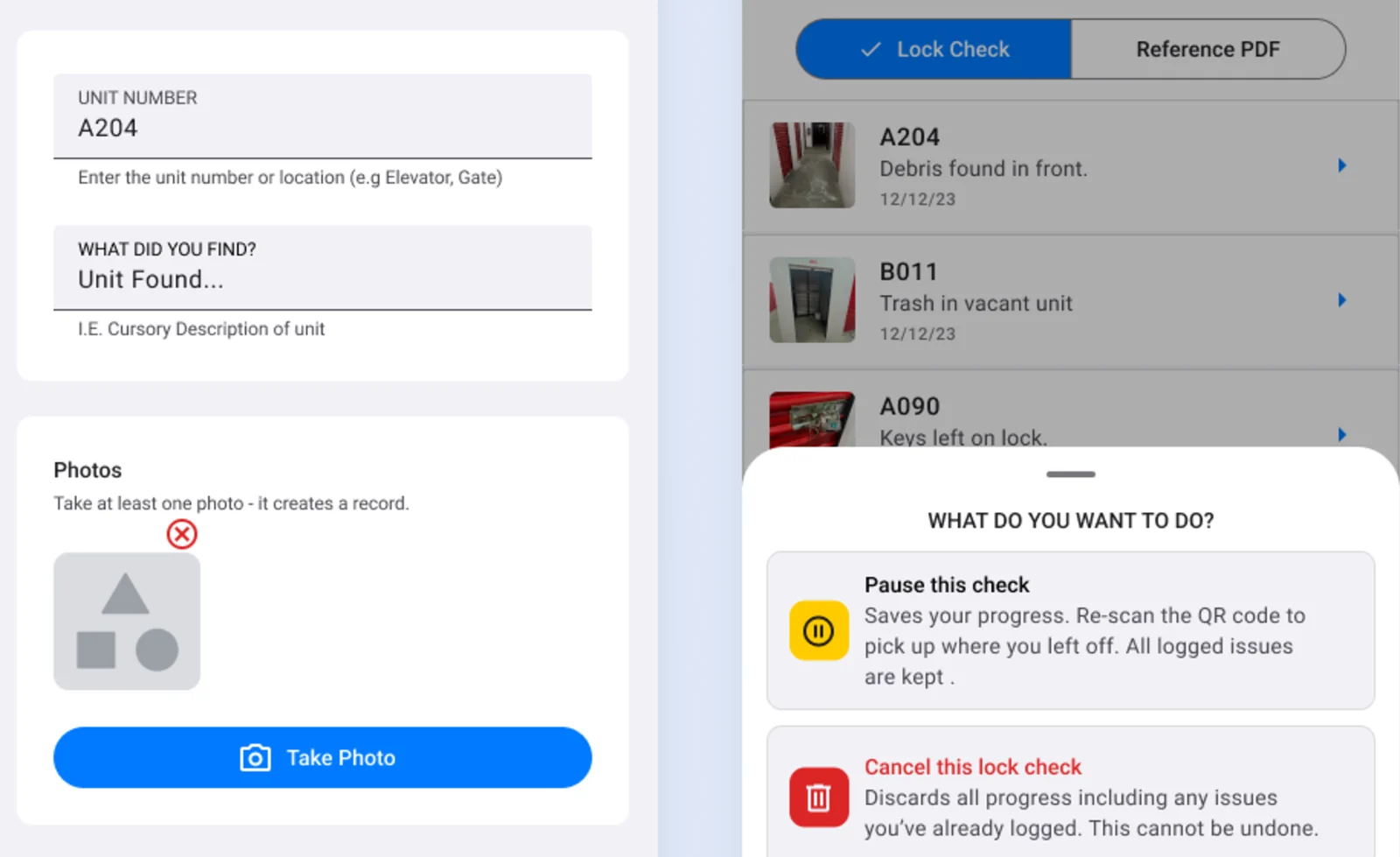
Staff scan the on-screen code
Start the check on the office computer and a QR code appears. Staff scan it with their phone camera and the session opens in the browser. Nothing to install.
Issues are logged as you go
Overlock status, photos, and notes go in unit by unit. Anything wrong shows on your dashboard, and supervisors get an email when the check is done.
The record saves itself
Who walked it, when, and what they found — logged, searchable, and ready to export.
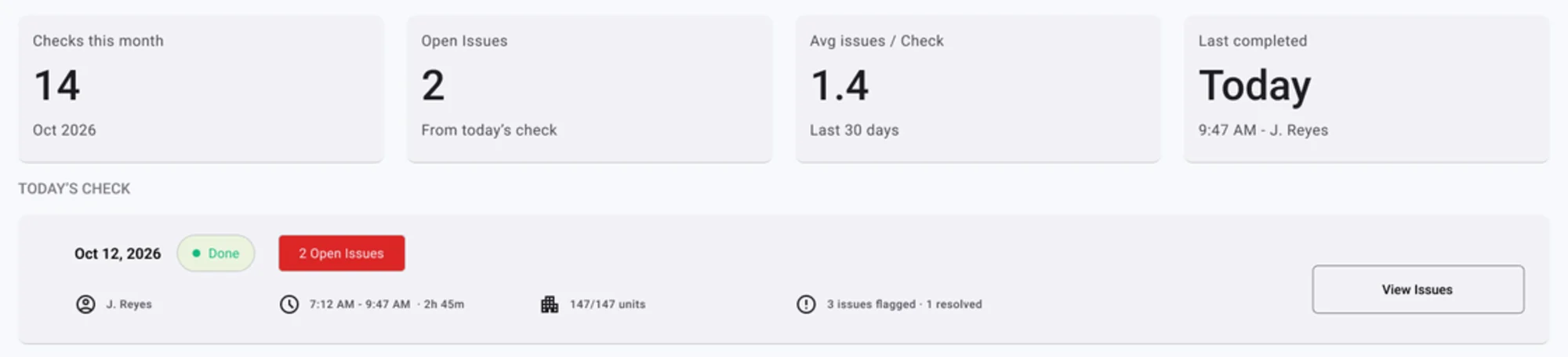
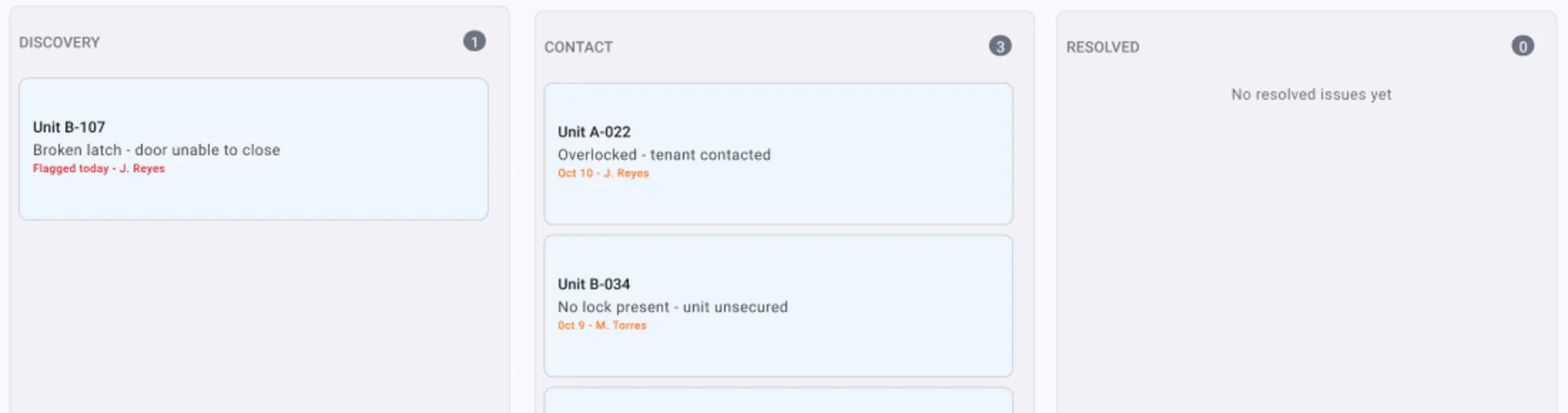
One screen tells you whether today's check happened.
Checks completed, open issues, who walked it, and how long it took — per facility, with the full history underneath. Running more than one facility? Supervisors see every property's checks in one place.
Lien disputes are won on documentation.
California's self-service storage rules put the burden of process on the operator. When a tenant, an attorney, or an insurer questions a delinquency, the question is always the same: show me the record.
Lock Check Cloud keeps a timestamped, photo-backed history of every check and every overlock, per unit, per facility — searchable years later.
Informational only. Not legal advice.
Help shape the future of self-storage operations, and lock in our best price.
Billed monthly after a 14-day free trial. Standard Pro pricing will start at $199/facility at launch.
Apply. Tell us about your facility.
Book a 20-minute demo. We’ll walk you through it and set up your account.
Start your 14-day free trial. Card on file. Cancel before day 14 and you won’t be charged.
Lock in your rate. Billing starts at $129/facility/month, locked for 12 months after beta.
Limited to 10 facilities total and up to 3 facilities per operator. The free trial requires a card on file; you won’t be charged if you cancel before day 14. The founding rate applies through 12 months after the beta period ends; after that, standard pricing applies.
Apply for Founding Access →Questions before you apply?
No. Staff scan a QR code and the session opens in the phone's browser. Works on any modern phone, personal or company-issued.
We only have 10 founding spots, so we want to make sure Lock Check Cloud is the right fit for your facility before you commit. The 20-minute call lets us walk you through the product using your real workflow — lock checks, walk-throughs, and overlocks — answer your questions, and get your account and staff set up for your 14-day free trial. No hard sell: if it’s not a fit, we’ll tell you.
Yes. After your demo, founding members get a 14-day free trial with a card on file. If it’s not the right fit, cancel before day 14 and you won’t be charged. After that, it’s $129 per facility per month, billed monthly.
Yes. Lock checks run in the phone’s browser and need a cellular or Wi-Fi connection. If parts of your property have weak coverage, tell us on the demo call and we’ll plan around it.
The workflow and record-keeping are built around California operating practice. Other states open after public launch.
Yes. Any session or date range exports with photos, timestamps, staff names, and unit-level notes attached.
Why LCC exists
We started in self-storage the way a lot of operators do — a part-time job that turned into a career. Eight-plus years of managing facilities, dealing with tenants, training staff, and doing lock checks every single day.
We were using a clipboard and a spreadsheet — the same way operators have been doing it for decades. The clipboard got wet. The spreadsheet got complicated. When something went wrong, finding the record was a nightmare. We kept asking: why doesn't a purpose-built tool exist for this?
Lock Check Cloud is the tool we wished we had when we were behind the fence every day. If you're a self-storage operator in California who's still doing lock checks on paper, this was built for you.
Only 10 founding spots.
Lock in $129/facility, free onboarding, and a direct line to the team building it.
Get early access
Something went wrong sending your application. Please try again, or email hello@lockcheckcloud.com.
California operators only at launch. A short demo call is required. Founding spots are capped at 3 facilities per operator. No spam, unsubscribe anytime.
You’re on the list!
Thanks for applying to the Founding Member Program. We’ll email you as soon as Lock Check Cloud is ready to launch to book your 20-minute demo and set up your 14-day free trial.